



How to sign in to your existing account
- Go to the Honours and Awards Portal page and click 'My Portal'.
- Type in your email address.
- Enter your password.
- Click the 'Sign in' button.
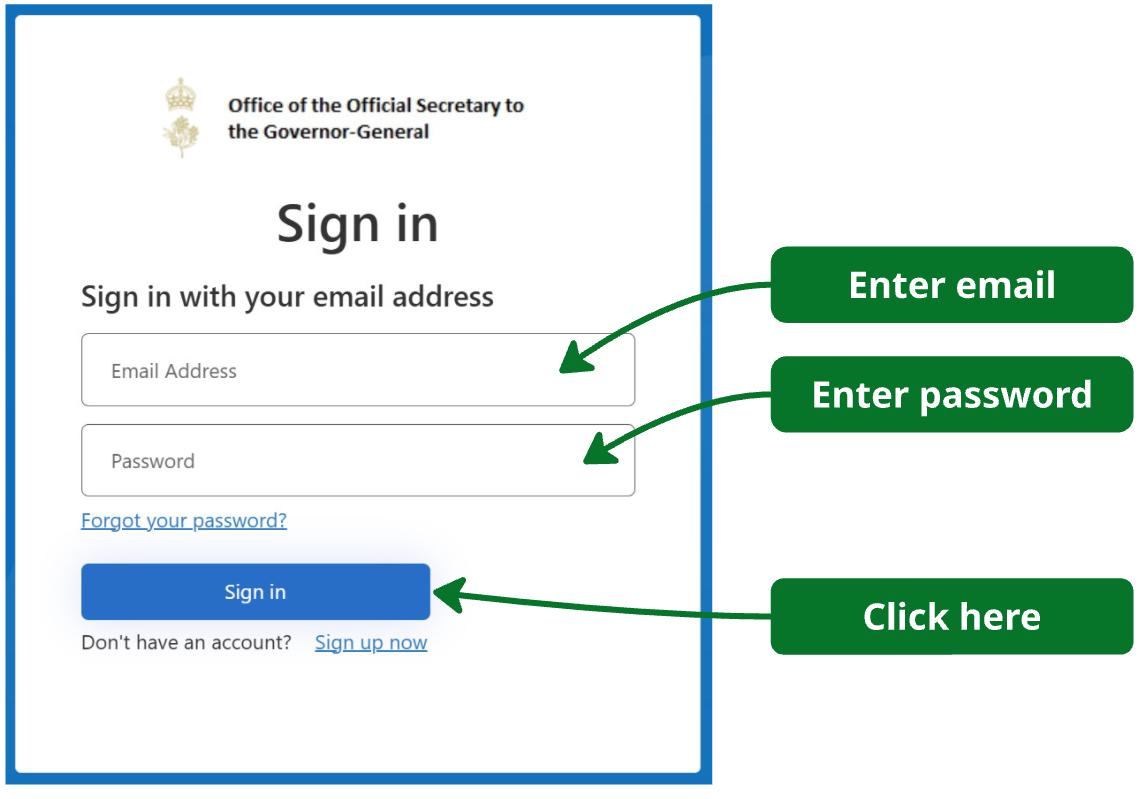
If you have forgotten your password, click the 'Forgot your password?' link to be guided through resetting your password.
- You will need a code to complete the login.
- Click the 'Send verification code' button.
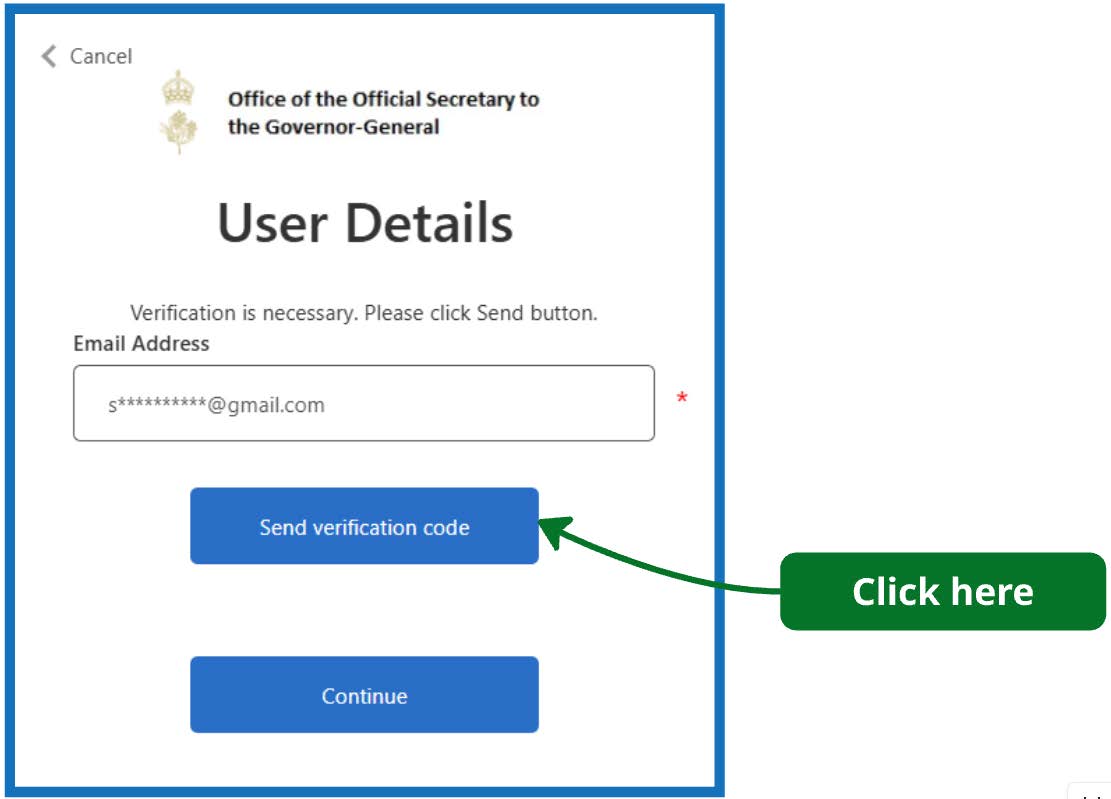
Note:
- It can take a few minutes, for the verification email to arrive (sometimes longer). If you have not received a code, check your junk or spam folder.
- Enter the code you receive in your email.
- Click the 'Verify code' button.
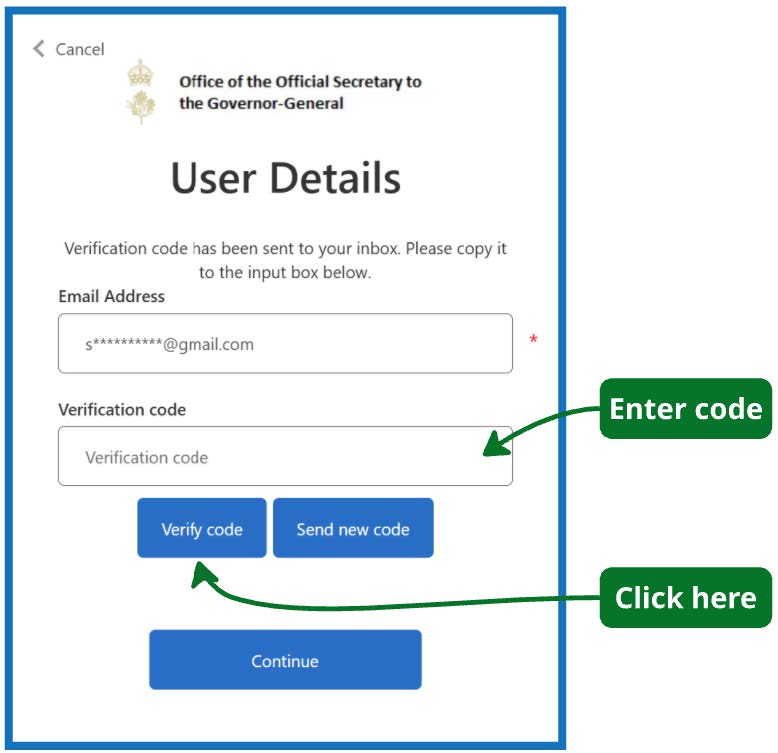
Note:
- If you click the 'Send new code' button and then the previous code arrives; this code will be invalid, and you will need to wait for the next one.
- Once the code is verified click the 'Continue' button.
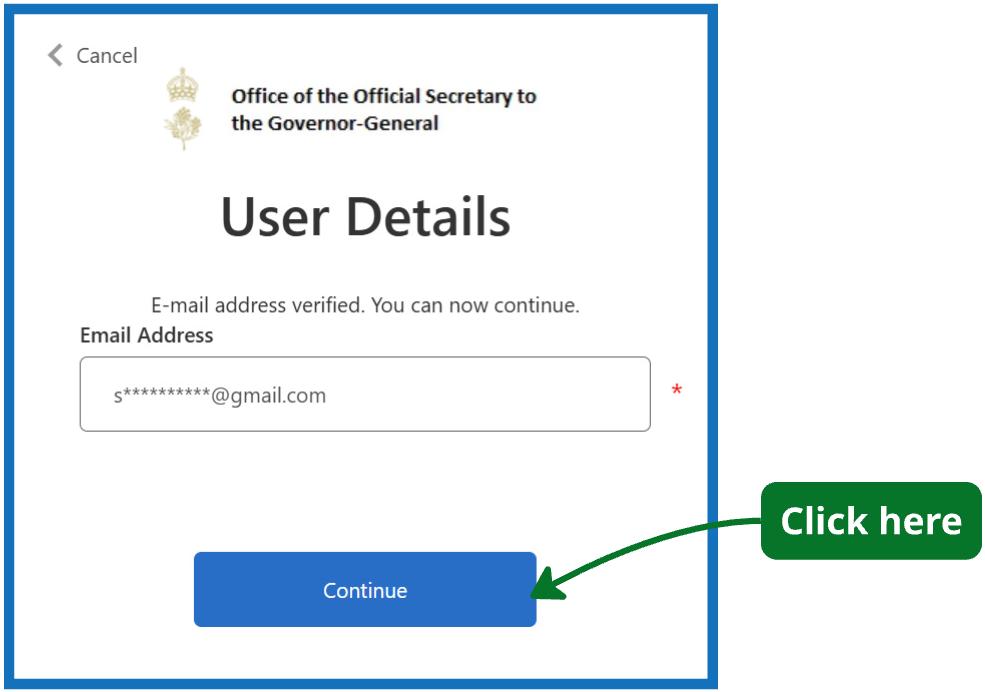
Congratulations, you are now logged in.
Click the tabs in the portal or the links below to go to the page you need.
- Nominators go to My Portal.
- Referees go to My Reference Requests.
- Nominees go to My Award Acceptances.